

Use case
Candidates write back overnight. Your AI assistant has the replies drafted by 7.
Forward candidate and client emails. Replies and interview times drafted by morning, for your OK.
Works from email you forward · Drafts for your OK
No credit card No demo No sales call
Works from email you forward
Every morning at 7:00 AM
See it work
One run, start to finish. Click any step.
Mia Personal assistant
MainMessage Mia…
- Works with
 Google Drive
 Google Calendar
 Slack
 Notion
Works from email you forward or CC · Never logs in to your inbox
What was waiting at 7:00 AM
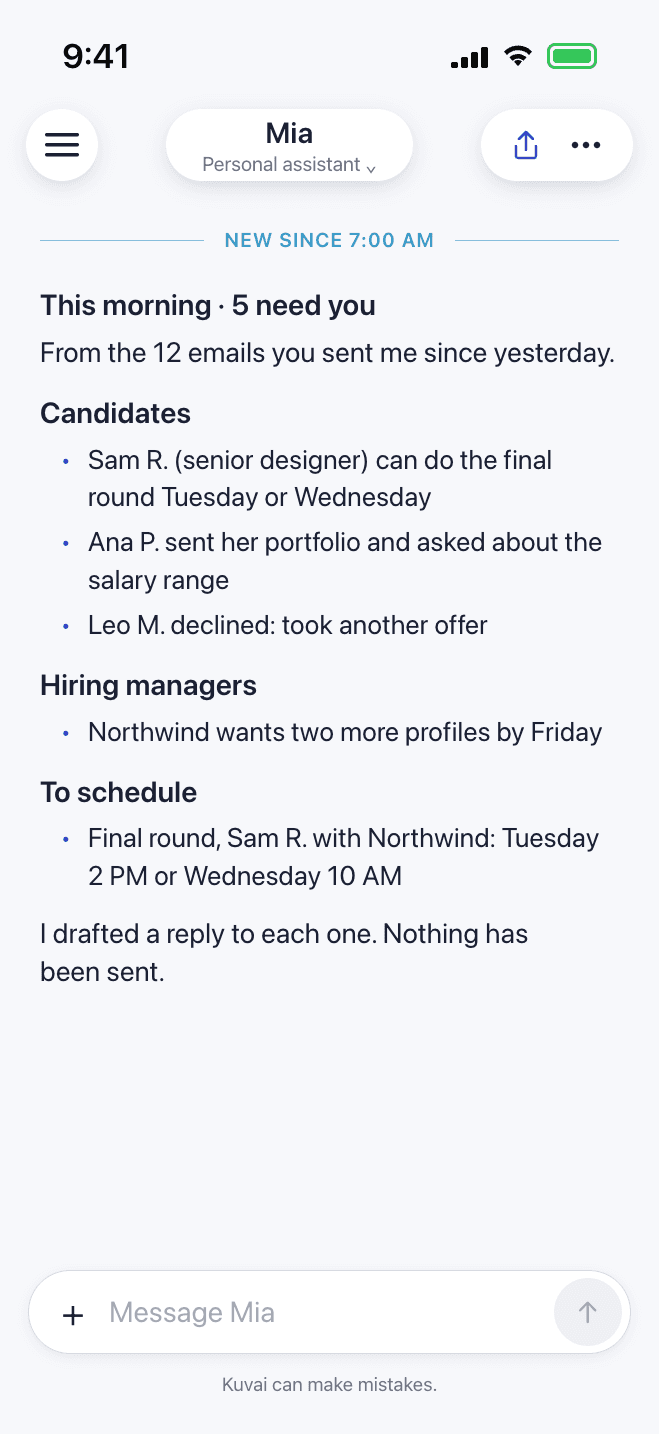
- Three candidates and one hiring manager waiting on you.
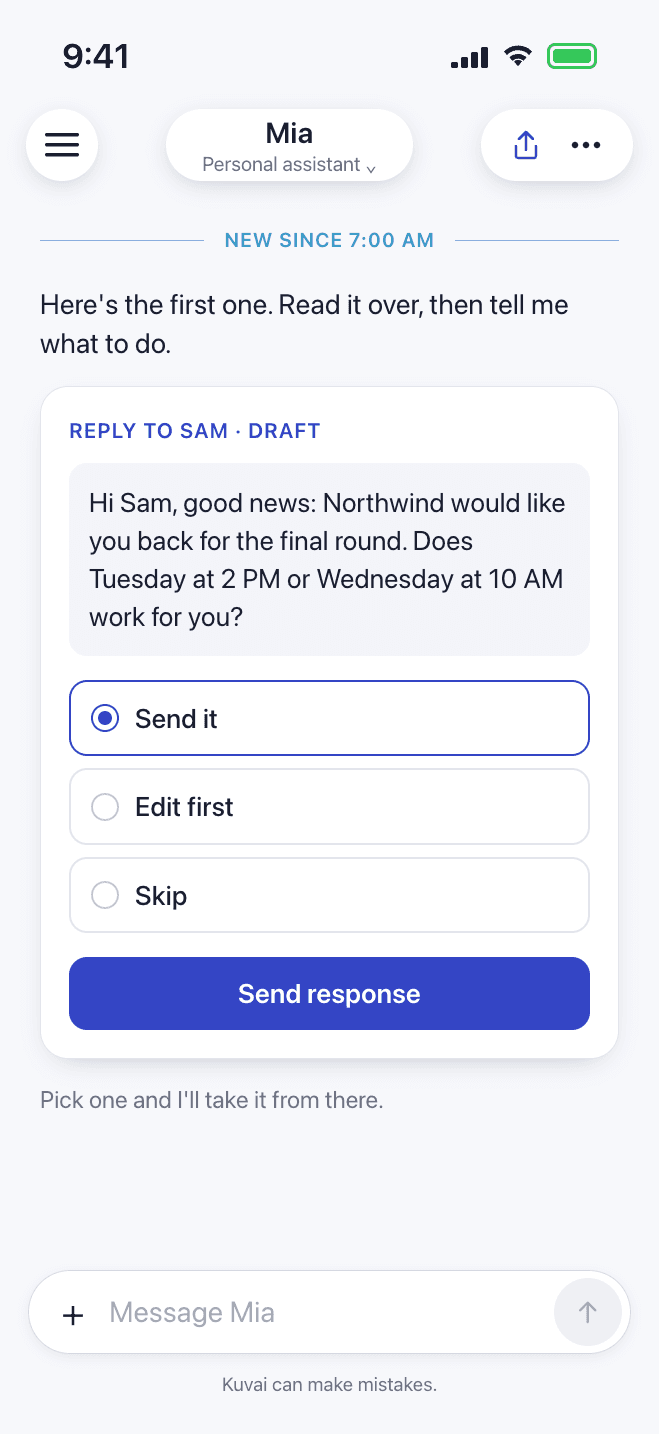
- A reply drafted for each, with interview times that fit.
- The interviews still to schedule, and who declined.
- Every candidate heard back before 9.
Good candidates have more than one offer in play, and the one who waits a day for an answer takes the other call. Forward or CC Mia, your AI personal assistant, and every morning you get who needs a reply, a draft for each candidate and hiring manager, and the interviews still to schedule. You forward it once. Mia works it overnight.
Why it keeps slipping.
It isn't a sourcing problem. It's a response-time problem.
Your inbox is full of people waiting on you: candidates, hiring managers, interview times. The searching gets done. It's the replies that slip, and a candidate who hears nothing for a day takes the other call.
Imagine opening this.
Every candidate and client who wrote yesterday, with a reply drafted for each.
How a teammate handles it. Step by step.
- 1Forward or CC MiaCandidate replies, client requests, CVs. From any mail app.
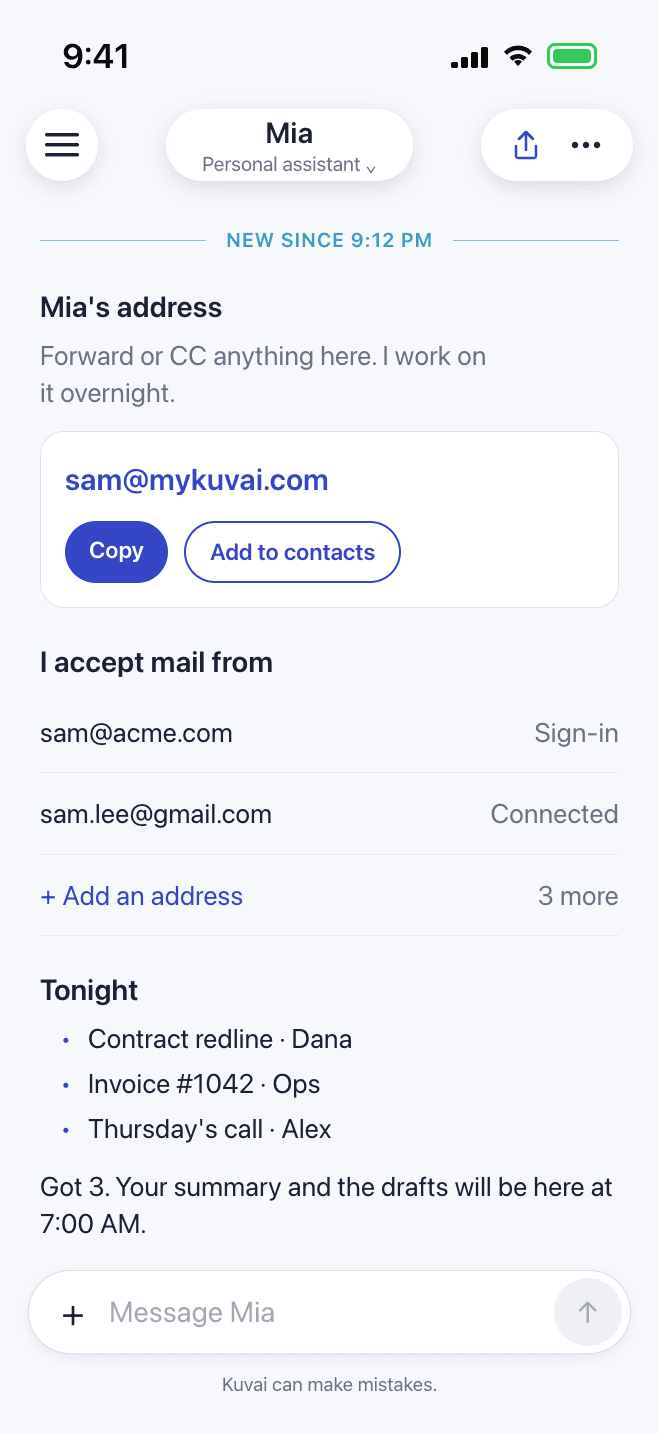
- 2Mia works overnightReads each email, CV and attachment, and drafts the replies.
- 3Your morning summaryWho needs a reply, what's drafted, what to schedule. On your phone by 7:00 AM.
- 4You decideSend, edit or skip each reply.
Mia is your first AI teammate.
Start with your candidate replies. When a job outgrows email, like sourcing for a new role or a weekly pipeline report, Mia hands it to a specialist teammate you add, in the same chat.
Start with Mia. Add a team when you're ready.
When you're ready, Mia hands work to
Recruiter
Sources qualified candidates, screens applications against role requirements, and keeps interview coordination moving without delays.
Human Resources →
Talent Acquisition Specialist
Runs recruitment operations end to end, keeping hiring pipelines healthy, processes consistent, and hiring metrics visible to leadership.
Human Resources →
Mia on your iPhone and your Mac.
Forward from your phone, read the morning summary on the go, and reply from your Mac. One account on both, free to start.
Frequently asked questions
Does it work with my ATS?
Mia works from email you forward or CC, so anything your ATS or job boards email you works from day one. You can connect Google Drive, Google Calendar, Slack or Notion too.
Will Mia email candidates on its own?
The morning job is set up to draft each reply, not send it. You read it and send it.
Does Mia read my whole inbox?
No. Mia has its own Kuvai address and only works on email you forward or CC to it, from up to 5 addresses you approve. Mia never logs in to your mailbox.
Can it read CVs?
Yes. Mia reads the attachments on each email you forward, CVs included.
How does it work while I sleep?
You describe the job once, like the morning summary. Mia runs it on schedule every day and has it waiting when you wake up.
No candidate left waiting.
Describe the job. Kuvai builds the teammate. You decide how far it goes.